Using Shot Designer 1.80.8 PRO on iPadOS 18.6.2, when I try to insert an Image prop, the selector only shows the collections of Photos.app, but the video tutorial says I need a PNG with alpha some I downloaded some PNG clipart using Safari in Files Downloads folder, but I cannot find a way to import it in Shot Designer (access to Photo Library and camera granted)
Hi,
I don’t have a modern iPad in front of me to test on right now, but is there no way of getting the PNGs into the libraries that are visible from the app? Could you post a screenshot of the file selector you’re presented with, so I can see which areas you’re given access to?
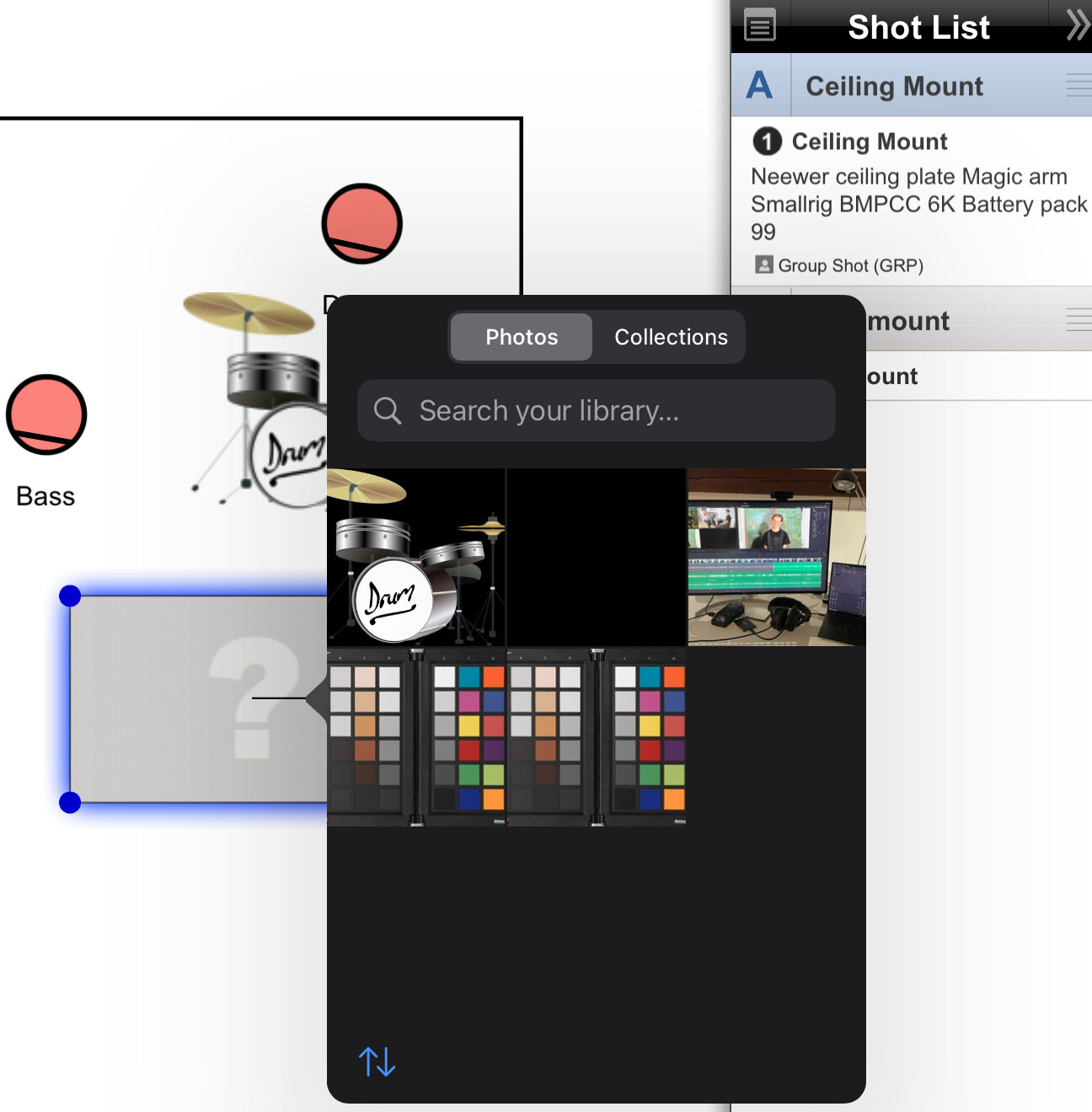
I found a workaround: convert the PNG into JPG or HEIF, then Share to Photos and it appears in the Photos library and can imported into Shot Designer. HEIF is better it preserves the PNG transparency.
Hi,
I’ll look into why you’re not getting more import options.
Another workaround is to do the importing on desktop.
Thanks for the report!
Per