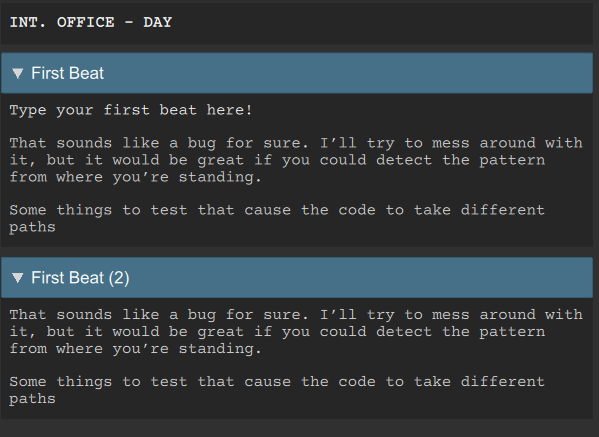
When I split a beat (cmd-K), it creates the new beat, copies the script text that follows, but does not remove that text from the original beat. I have to go back and cut it.
Is that intentional or a bug?
I do this a lot because I pull script text from google docs and paste it into beats that I split. Efficient work flow for new episodes.
That sounds like a bug for sure. I’ll try to mess around with it, but it would be great if you could detect the pattern from where you’re standing.
Some things to test that cause the code to take different paths:
Has the beat been committed at least once (clicked somewhere else and closed it for editing)? If you’re creating a new beat and split it, this is a different path from a beat that already existed and is now split. Is it tied to this?
Next time it doesn’t work, can you see the blinking cursor? I’m wondering if something causes the text editor to lose focus just before you press Ctrl+K.
Next time it doesn’t work, and you still see the cursor blinking in the right place, please try to press Ctrl+K multiple times. This is in case, the keyboard event is somehow being eaten. For keyboard shortcuts, there’s a bit of a fight going on inside the app about where keyboard shortcuts are declared and which precedence is taken. It’s believed to be clean, but let’s say there’s a regression. If Ctrl+K is bound to multiple event handlers, it can be random or circular which handler gets the keyboard event.
I’ve been able to reproduce it. It seems to be an extremely unique bug that only happens with the cursor at exactly at the beginning of where the new text was pasted, before the beat has been committed for the very first time. We’ll investigate.