In the timeline, after page 63 the timeline breaks and the next group starts at page 1 again. Screenshot below. Same thing if I set it to beats. I’m sure it’s something I’ve done by mistake but I can’t find anything in the manual to fix it. How do I close that break so the pages number correctly? I am using OS Tahoe 26.5.2. Thanks very much!
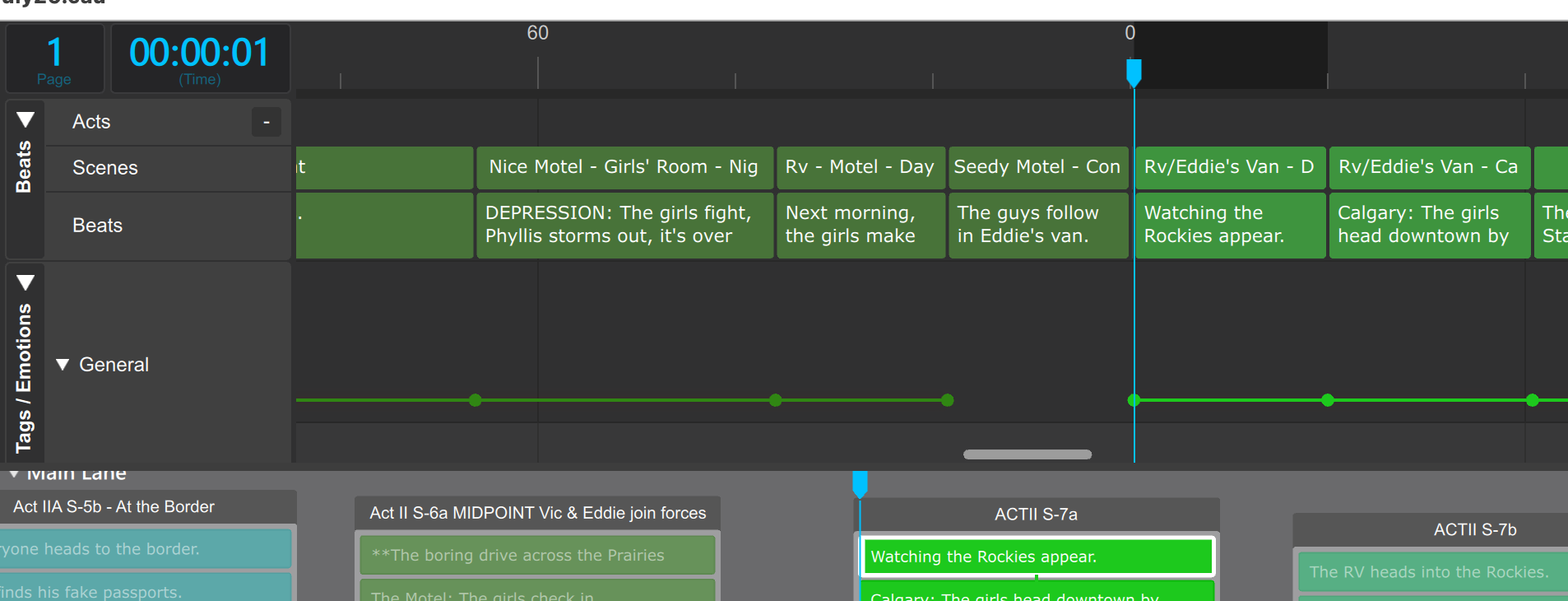
Hi Deborah, that will happen when you insert an episode break (because the next episode needs to start at time 0 on page 1.) If so, you’ll see a green vertical marker line. At the bottom of the line, an episode name. Right click it to select “delete” and your page numbering will resume as you expect.
Hi Carlo,
I found it. It just wasn’t anywhere near the 0. But I deleted it and the pages have reverted. Someday I’ll find out what I did to make that happen…
Thanks,
Deborah
Hi Deborah,
Carlo’s answer is right. But if there is an anomaly, try to capture some screenshots next time, especially with a rare issue. It can be very difficult to troubleshoot without having an actual example.
Everything regarding page numbering is improving. Especially the counter will very soon start showing the page number inside each episode because if you are half way through episode three, it doesn’t help a whole lot to know that you are on page 160.